
What a busy paddock looks like
The schedule moves an hour after you print it. “When are we on?” follows you from the trailer to the tower to the lunch line. Someone didn't hear the call and missed a session.
The HPDE Communication System for Track Days & Club Racing
You build the schedule on your laptop. Drivers and instructors get it in the app, with an alert before each of their sessions and every change you make. We'll help you set up your first event.
More than 1,000 drivers have used Track Time Alerts at events for Niagara PCA, Metro NY PCA, GVC BMW CCA, club racing, time trials and more.

The schedule moves an hour after you print it. “When are we on?” follows you from the trailer to the tower to the lunch line. Someone didn't hear the call and missed a session.
Lap timers, in-car video, data, the weather radar: drivers bring their phones to every event. Track Time Alerts puts that same phone to work for you. The schedule, the grid call and your announcements show up where your drivers are already looking. On track, the phone stays mounted or in the bag. The alerts are for the paddock.
One schedule: built on your laptop, run from your phone, on every driver's phone.
Set run groups, sessions and instructor pairings with a drag-and-drop scheduler on your laptop. If you can use a whiteboard, you can use this.
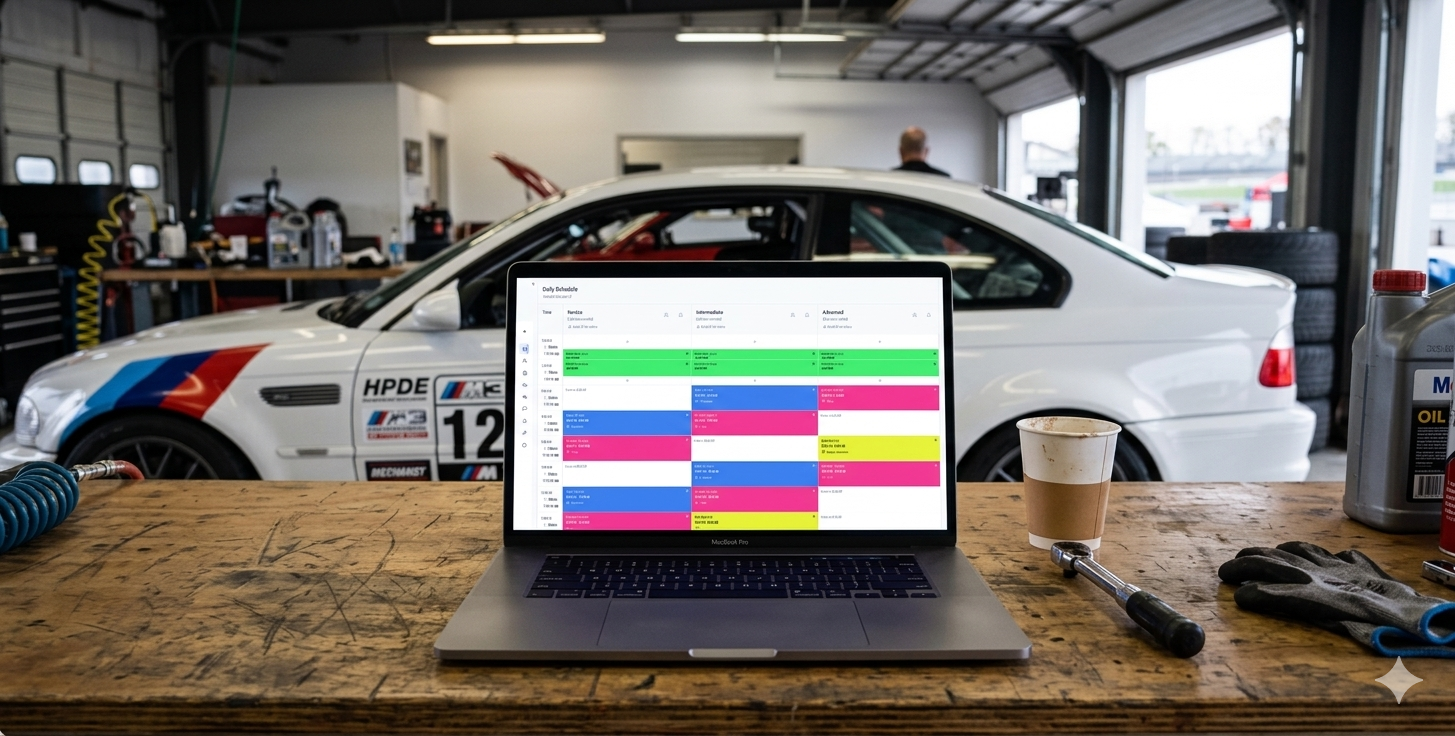
Drivers and instructors see their own schedule, who they're paired with, car numbers, and which group is on track right now.

Automatic alerts go out before each session. When plans change, message a run group, an instructor group, a single driver or the whole paddock. Alerts go out within seconds and cost nothing per message.
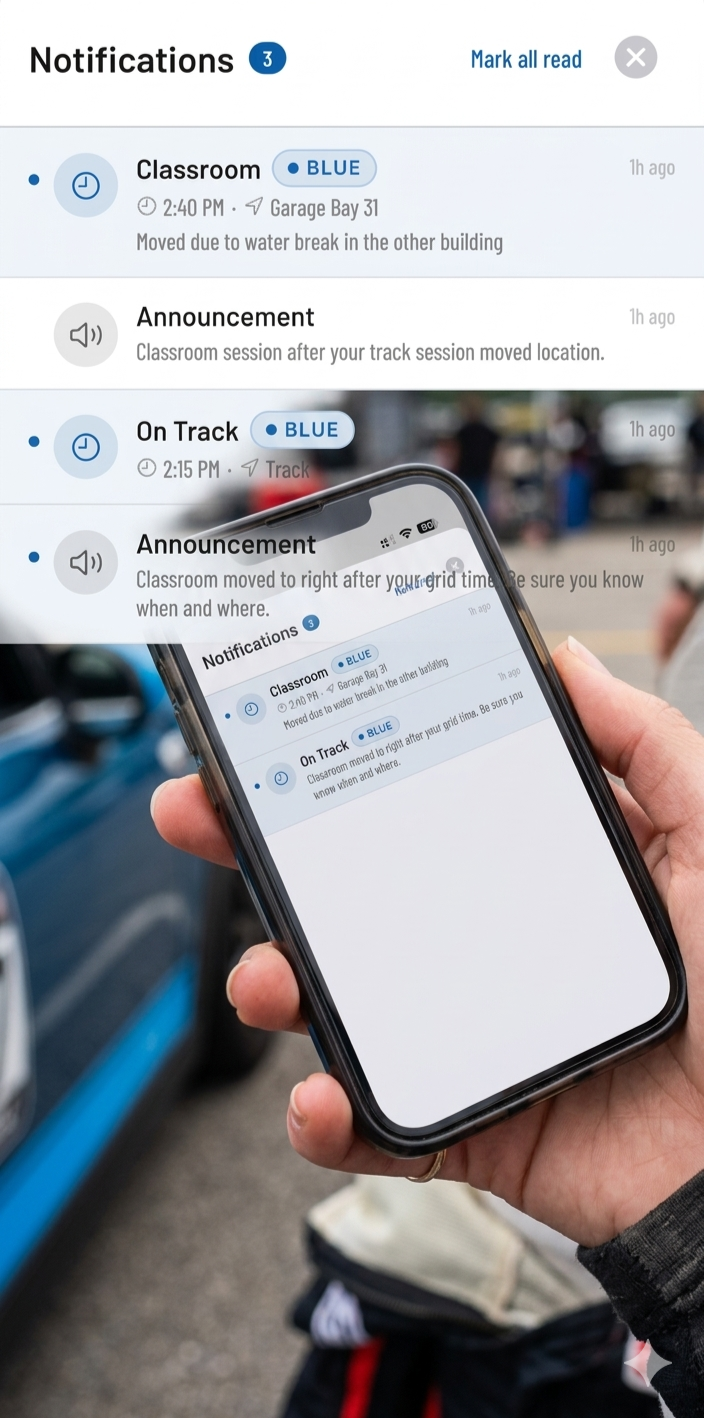
The Admin app for iPhone and Android puts the live board, your announcements and your driver list in your pocket. Message a run group or one driver from the grid, the tower, pit lane or the far end of the paddock.
Keep using MotorsportReg or ClubReg for registration and payment. Import your roster into Track Time Alerts, and it handles event day: the live schedule, session alerts and messages.
Want the track map, tech forms and garage assignments in every driver's app, and photos in your broadcasts? Add Event Glovebox (add-on).
“It's a force multiplier for organizers.”
Adam F. · HPDE Registrar, Metro NY PCA
“The powerful and effective tool we all wanted.”
Sean G. · HPDE Chair, GVC BMW CCA
“The Track Time Alerts App allows us organizers to easily communicate event updates to participants on a real-time basis.”
Bert X. · HPDE Chair, Niagara PCA
“My students and instructors stopped asking me when they were up.”
Rich D. · Chief Instructor, Niagara PCA
Wind, helmets and a loud GT3 make the PA hard to hear from the car. So the grid call goes straight to that run group's phones, and the 5-minute warning is on their lock screen.
When the schedule slips, that's exactly when you need to send the most messages. Texting services charge per message, and a text can sit in the carrier's queue. Track Time Alerts sends alerts through the app instead: faster than a text, with no per-message fee. Send as many run group alerts, delays and changes as the day needs.
Cell service at a lot of tracks is patchy. The driver app keeps the latest schedule on the phone, so drivers can still see it when the signal drops, and it catches up when the signal comes back.
Students see their instructor's photo, car and car number. Instructors see the same for each of their students, along with their schedules and the updates. One tap to call or email.
Built by drivers, for drivers. Welcome emails and reminders go out on their own, drivers sign themselves up, and anyone who slips through scans a QR code at the registration desk. At a club's first event, about 8 in 10 drivers typically have the app set up before they arrive.
Gate times, tech the night before and the drivers meeting go out with the schedule. The end of the day brings the BBQ reminder; the end of the event brings a thank-you and your next date. That's the kind of weekend drivers sign up for again.
I'm Andy. I built Track Time Alerts, and I'll help you set up your first event, answer questions whenever they come up, and pick up the phone on event day. Running an event at Watkins Glen or nearby? You might even get me at your drivers meeting and on site for the first morning.
Your schedule, session alerts and event messages, in one place.

Running your first event? We host live grid briefings for administrators — learn the platform, ask questions, and help shape what we build next. Drop your email for session invites and release notes.